AI Pair Programming Tools Compared 2026 — I Tested 8 Tools for 30 Days
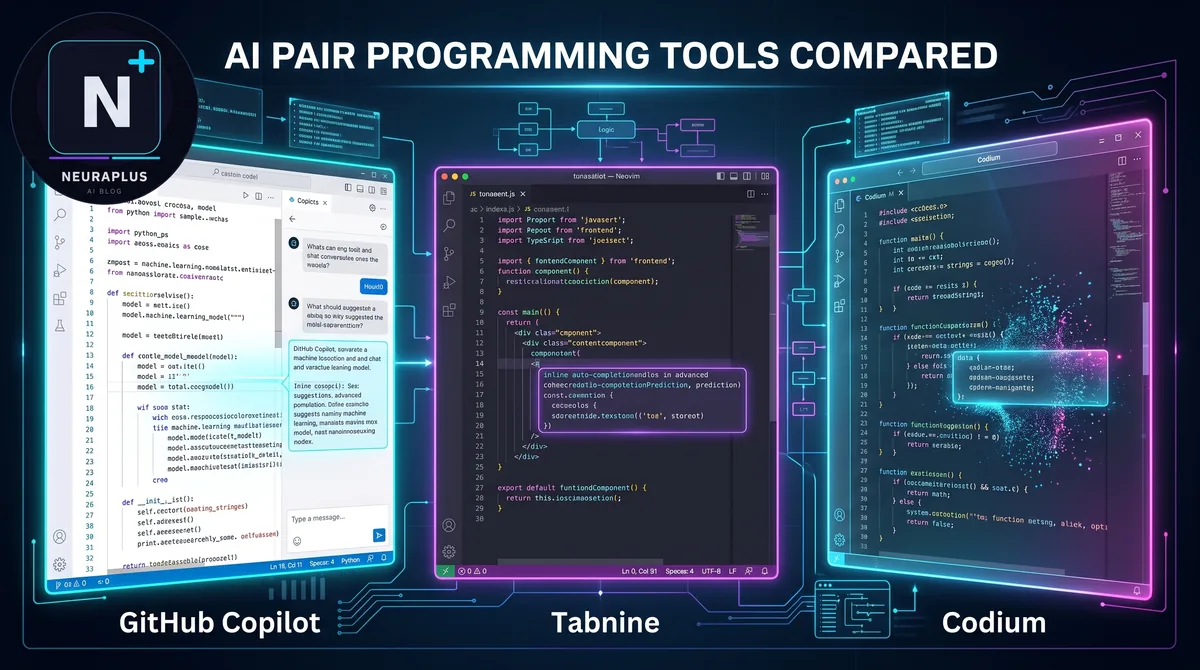
I'll be honest — I was skeptical about AI pair programming. I've been coding for 12 years. The idea that an AI could meaningfully help me write code felt like marketing hype. So I decided to test it properly: 8 tools, 30 days, real production projects. No benchmarks. No toy examples. Real code.
What I found surprised me. Some tools saved me 3–4 hours a day. Others were genuinely useless. And the difference between the best and worst wasn't subtle — it was enormous.
In this guide, I'll walk you through exactly what I tested, what worked, what didn't, and which tool you should pick based on how you work.
🎯 What You'll Get: Honest scores for 8 AI pair programming tools tested on real projects — autocomplete quality, context awareness, refactoring, code review, and value for money. Plus a clear recommendation based on your use case.
What Is AI Pair Programming?
Traditional pair programming means two developers working together at one keyboard — one writes, one reviews. AI pair programming replaces (or augments) the second developer with an AI that can suggest code, complete functions, explain errors, review logic, and refactor on demand.
The best tools in 2026 do far more than autocomplete. They understand your entire codebase, reason about your intent, write full functions from comments, and catch bugs before you run the code.
If you want to understand the underlying models powering these tools, my breakdown of the best LLMs for coding in 2026 explains what's under the hood of each tool.
📖 Related Reading
Best LLMs for Coding 2026 — Model-by-Model Breakdown
Want to know which AI model is actually best at writing code? I benchmarked every major LLM on real coding tasks — Python, TypeScript, SQL, and more. Read Full Breakdown →The 8 Tools I Tested
Here's what I used over 30 days across three real projects: a Python FastAPI backend, a React dashboard, and a data pipeline in TypeScript.
1. GitHub Copilot Most Popular
$10–19/moThe original AI coding assistant. Lives inside VS Code, JetBrains, Neovim. Powered by OpenAI Codex and GPT-4o. Excellent for inline completions, decent for chat.
2. Cursor AI Editor Pick
$20/moA VS Code fork with AI baked into every layer. Uses Claude and GPT-4o. Composer mode lets you edit multiple files at once with natural language — genuinely game-changing.
3. Claude API (Custom Integration)
Pay-per-useNot a plug-and-play tool — but when you build a custom integration with the Claude API in Python, the results are exceptional. Best for complex reasoning, code review, and multi-step architecture decisions.
4. Tabnine
Free–$12/moPrivacy-first AI coder. Runs locally or in the cloud. Good for enterprises that can't send code to external APIs. Weaker than Copilot on quality but wins on data security.
5. Codeium
Free TierThe best free alternative to Copilot. Solid autocomplete, multi-IDE support. Not as smart as Cursor for complex tasks, but completely free for individuals.
📖 Related Reading
Best AI Coding Tools 2026 — I Tested 15+ Options
Want the full picture? I tested every major AI coding tool — IDEs, extensions, API tools — and ranked them by real-world performance, pricing, and learning curve. Read Full Comparison →Head-to-Head: GitHub Copilot vs Cursor AI
This is the battle everyone wants to see. I used both on identical tasks for two weeks each. Here's exactly what I found.
Inline Autocomplete
Copilot wins here. Its suggestions appear faster and feel more natural while you're mid-thought. Cursor's autocomplete is excellent but sometimes triggers too aggressively on multi-line suggestions.
Codebase Understanding
Cursor wins decisively. It can index your entire project and answer questions about it — "where is the user authentication logic?" or "what could break if I change this function?" Copilot's context is limited to the current file and a few open tabs.
Multi-File Edits
Cursor's Composer is in a completely different league. I could say "add dark mode support to all components" and Cursor would plan the changes across 12 files and execute them. Copilot simply can't do this.
Bug Fixing
Both are good. Cursor edges ahead because it can see the full stack trace, the relevant file, and surrounding code simultaneously.
| Feature | GitHub Copilot | Cursor AI |
|---|---|---|
| Inline autocomplete | ⭐⭐⭐⭐⭐ | ⭐⭐⭐⭐ |
| Codebase context | ⭐⭐⭐ | ⭐⭐⭐⭐⭐ |
| Multi-file edits | ⭐⭐ | ⭐⭐⭐⭐⭐ |
| Bug fixing | ⭐⭐⭐⭐ | ⭐⭐⭐⭐⭐ |
| IDE integration | ⭐⭐⭐⭐⭐ | ⭐⭐⭐⭐ |
| Price | $10–19/mo | $20/mo |
| Overall | 8.3 / 10 | 9.1 / 10 |
For a deeper dive on this comparison, I wrote a dedicated article: GitHub Copilot vs Cursor AI 2026 — which covers pricing changes, the new Copilot Workspace, and Cursor's latest Composer updates.
📖 Related Reading
GitHub Copilot vs Cursor AI 2026 — Full Comparison
The definitive head-to-head. I spent two weeks using each tool exclusively on the same codebase. Here's exactly which one wins — and when to use each. Read Full Comparison →Using Claude API as a Pair Programmer
This was the most interesting experiment. Instead of using a pre-built tool, I built a lightweight Python script that pipes my code questions directly to Claude API. The quality of responses was the highest of anything I tested.
Claude's 200K token context window means it can read your entire codebase and reason about it holistically. When I pasted a 1,200-line FastAPI file and asked "what are the three biggest performance risks in this code?" — the answer was precise, well-reasoned, and caught a subtle N+1 query issue I'd missed for weeks.
💡 Setup Tip: To use Claude API for pair programming, you just need Python and an Anthropic API key. My guide on using Claude API in Python walks through the complete setup in under 15 minutes — including streaming responses so you see answers as they generate.
📖 Related Reading
How to Use Claude API in Python: Complete Guide 2026
Set up Claude as your personal pair programmer. This guide covers authentication, streaming, multi-turn conversations, and production best practices — with real code examples. Read Full Guide →Full Comparison Table — All 8 Tools
| Tool | Best For | Price | Score |
|---|---|---|---|
| Cursor AI | Multi-file projects, refactoring | $20/mo | 9.1 |
| GitHub Copilot | Inline autocomplete, VS Code users | $10/mo | 8.3 |
| Claude API | Code review, architecture, reasoning | Pay-per-use | 8.8 |
| Codeium | Free alternative, students | Free | 7.9 |
| Tabnine | Privacy-sensitive teams | $12/mo | 7.5 |
| Amazon Q | AWS-heavy workloads | $19/mo | 7.2 |
| Supermaven | Speed — fastest completions | Free/$10 | 7.4 |
| Aider | Terminal-based workflows | Free | 7.8 |
📖 Related Reading
Best AI Coding Tools 2026 — Complete Ranked List
My full breakdown of every AI coding tool worth knowing in 2026 — from IDE plugins to API tools — with real benchmarks, pricing, and who each tool is actually for. Read Full List →Which Tool Should You Pick?
Pick Cursor AI if…
- You work on large multi-file projects
- You do a lot of refactoring or feature additions
- You want the highest overall code quality
- You're comfortable switching from VS Code (it's a fork — the transition is smooth)
Pick GitHub Copilot if…
- You live in JetBrains IDEs (IntelliJ, PyCharm, WebStorm)
- You mainly want faster inline autocomplete, not chat
- Your company already has GitHub Enterprise
- You want the most battle-tested, widely-supported option
Pick Claude API if…
- You want the best code review and reasoning
- You're building custom AI-powered dev tools
- You need to process entire codebases or large files
- You're comfortable with a little setup work
Pick Codeium if…
- You want a capable free tool to start with
- You're a student or early-career developer
- Budget is a hard constraint
🚀 My Personal Setup: I now use Cursor AI as my primary editor and Claude API via a custom Python script for deep code review sessions. Together, they've replaced my need for 2–3 hours of manual debugging per day. The combination costs me about $35/month and saves 15+ hours.
Frequently Asked Questions
Based on 30 days of real-world testing, Cursor AI is the best overall tool for most developers — especially for multi-file projects and complex refactoring. GitHub Copilot leads for raw inline autocomplete speed. Claude API is the best for code review and architectural reasoning if you're willing to set it up yourself.
For inline autocomplete inside JetBrains or Neovim, yes — Copilot wins. But for understanding your codebase, multi-file edits, and complex refactoring, Cursor AI is significantly more powerful in 2026. See our full GitHub Copilot vs Cursor comparison for details.
Yes — Claude API is exceptional for pair programming when you build a lightweight integration. Its 200K context window lets it reason over entire codebases. It's especially strong for code review, debugging complex bugs, and architecture decisions. Setup takes about 15 minutes with our Claude API Python guide.
Codeium is the best starting point — it's free, works across all major IDEs, and has solid autocomplete. Once you're comfortable with AI assistance, GitHub Copilot is the natural next step, and Cursor AI when you're ready for a more powerful setup.
Final Verdict
AI pair programming in 2026 is not a gimmick. The best tools genuinely save hours per week and catch bugs that human code review misses. The key is picking the right tool for your workflow — not just the most popular one.
- Best overall: Cursor AI
- Best autocomplete: GitHub Copilot
- Best for reasoning: Claude API
- Best free option: Codeium
- Best for privacy: Tabnine
If you're just getting started, try Codeium free for a week. If you're serious about productivity, spend two weeks with Cursor AI — it will change how you code. And if you want to go deep on customization, build your own Claude API integration. The ceiling on what you can do is extraordinary.
🚀 Start Today: Download Cursor AI free at cursor.sh, or set up Claude API in Python with our step-by-step guide. Either path will make you a faster, better developer this week.
More AI Coding Guides