🤖 Branding · AI Tools · Hands-On Review
Top AI Logo Generators
for 2026
A logo is usually the first thing people associate with a brand, but creating one has never been as confusing as it is today. There are now dozens of AI logo makers promising instant results, "professional" designs, and complete branding kits, all in a few clicks.
We wanted to find out what actually holds up when you use them in real situations. In this guide, we break down the top AI logo generators in 2026 based on hands-on testing, focusing on ease of use, design quality, customization, and how well each tool performs when building a real brand identity from scratch. If you're earlier in the process and still weighing free options, our best free logo makers for small businesses guide is a good companion piece.
How We Tested These Tools
We evaluated every tool on this list against the same four criteria:
- Speed of logo generation: Can the tool generate logo ideas quickly from a simple prompt or business name, without unnecessary delays or steps?
- Quality and originality of designs: Are the generated logos professional, visually appealing, and distinct enough to avoid looking generic or overused?
- Customization flexibility: Does the tool let you easily adjust fonts, colors, icons, and layouts to refine the logo into something truly unique?
- Branding tools and consistency: Can the platform support a full brand identity, keeping your logo style consistent across other assets and designs?
- Export formats and usability: Is it easy to download your logo in the right formats for real-world use — websites, print, and marketing materials?
Quick Comparison
| Tool | Rating | Best For |
|---|---|---|
| Design.com | 10/10 | Best overall AI logo maker with a full branding system |
| BrandCrowd | 9.8/10 | Fast, template-driven logo creation |
| Wix Logo Maker | 9.3/10 | Website + logo integration |
| Canva | 9.2/10 | Beginners and simple branding |
| Fiverr | 9.0/10 | Custom human-designed logos |
🏆 Top Pick: Design.com came out on top across every category we tested — speed, design quality, customization depth, and brand consistency.
5 Top AI Logo Generators for 2026
1. Design.com — Best Overall AI Logo Maker for Complete Branding
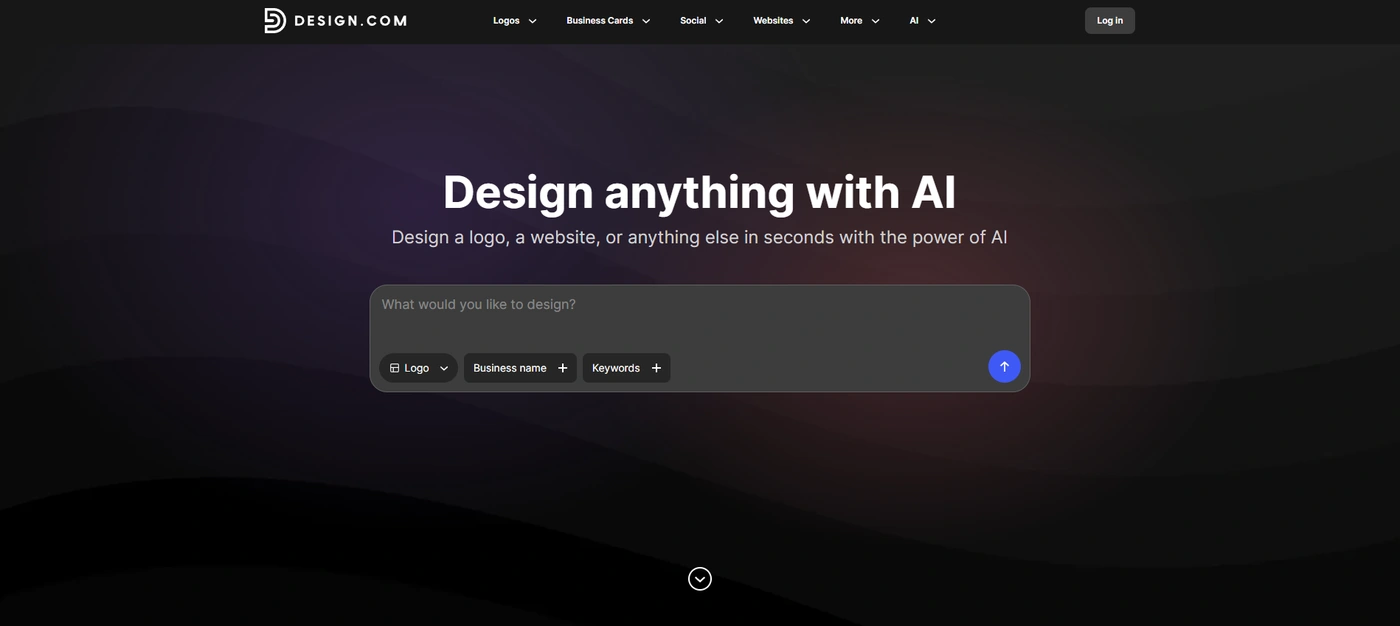
Design.com offers an AI logo maker that helps you build professional logos and full brand identities in one place. It goes beyond basic logo generation by combining AI-generated designs, real-time editing, and a full suite of branding tools for businesses that want consistency across every asset.
We tested it across multiple industries and use cases, and it consistently produced polished, usable designs within seconds. What stood out most was how connected the entire workflow feels: from logo creation to building out complete brand materials like business cards, flyers, and social media assets.
Why It Earned the Top Spot
- We generated multiple logo directions in seconds, even from simple business inputs
- The designs felt more refined and less template-driven compared to most other tools we tested
- Customization went deeper than expected, especially for typography, layout, and brand consistency
- It didn't stop at logos — we could instantly extend designs into full brand assets like business cards and social content
- The overall workflow felt like a complete branding system rather than just a logo generator
Massive Logo & Template Library
Design.com gives access to over 400,000+ logo templates and more than 1 million total design assets. During testing, this made it easy to find strong starting points across different industries instead of starting from scratch. We looked for a logo for a barbershop business, and the results hit the mark — see the sample templates below.
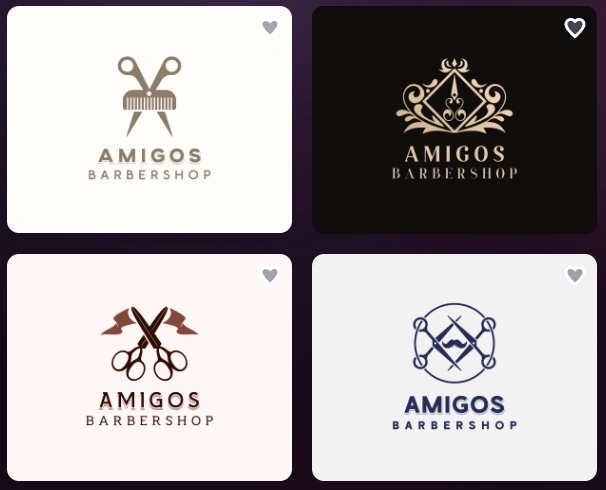
Four industry-matched barbershop logo concepts generated in seconds
Deep Customization System
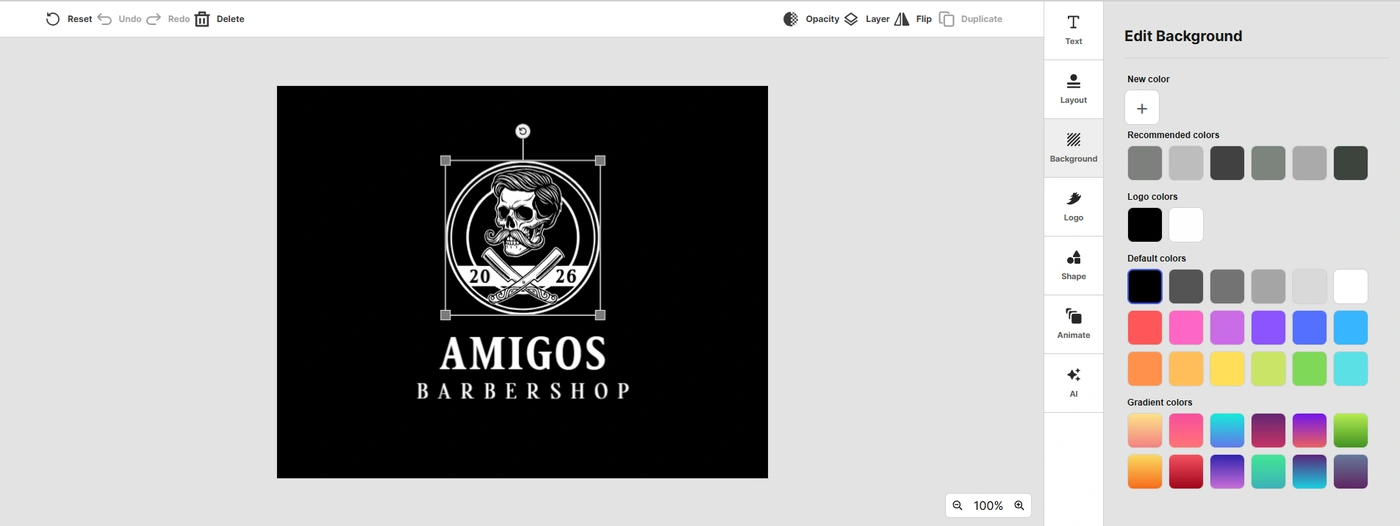
After generating a logo, we were able to adjust fonts, layouts, icons, and colors in detail. The editor felt flexible enough for serious branding work, not just quick edits.
Advanced AI Design Tools
One of the standout features we tested was Design.com's conversational AI editing system. Instead of manually adjusting every design element, you can simply tell the AI what you want to change using natural language. For example, we asked the AI to replace the icon with a minimalist barber comb, and then to change the font to something more vintage.
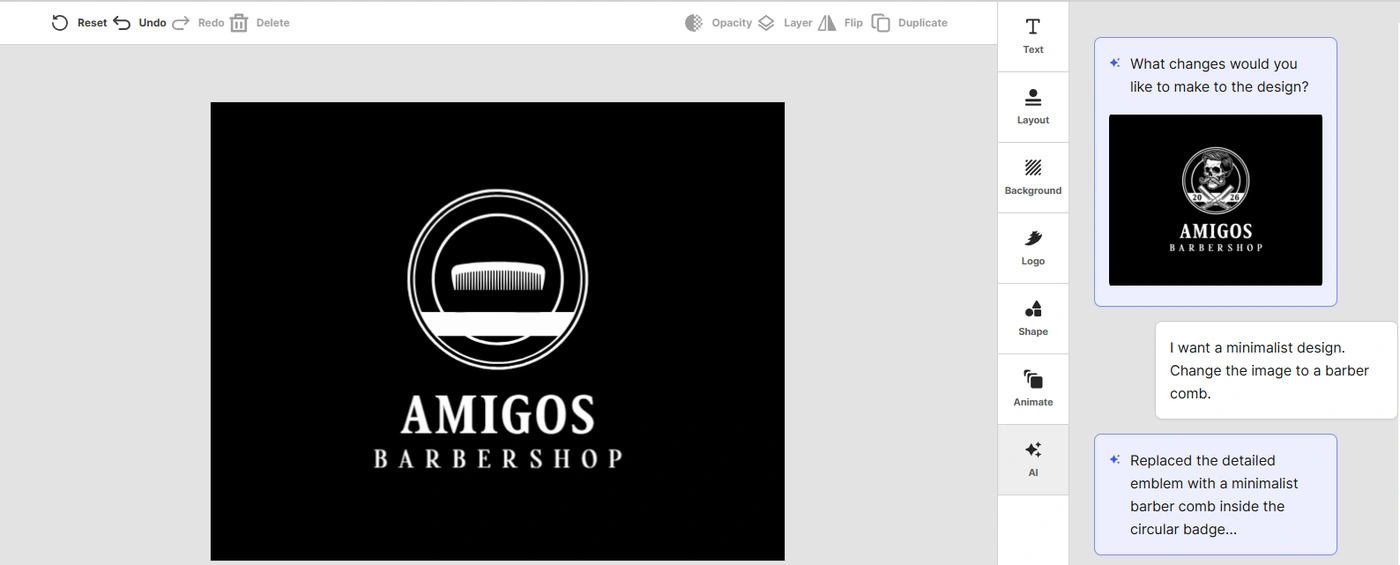
"Replace the icon" via AI chat
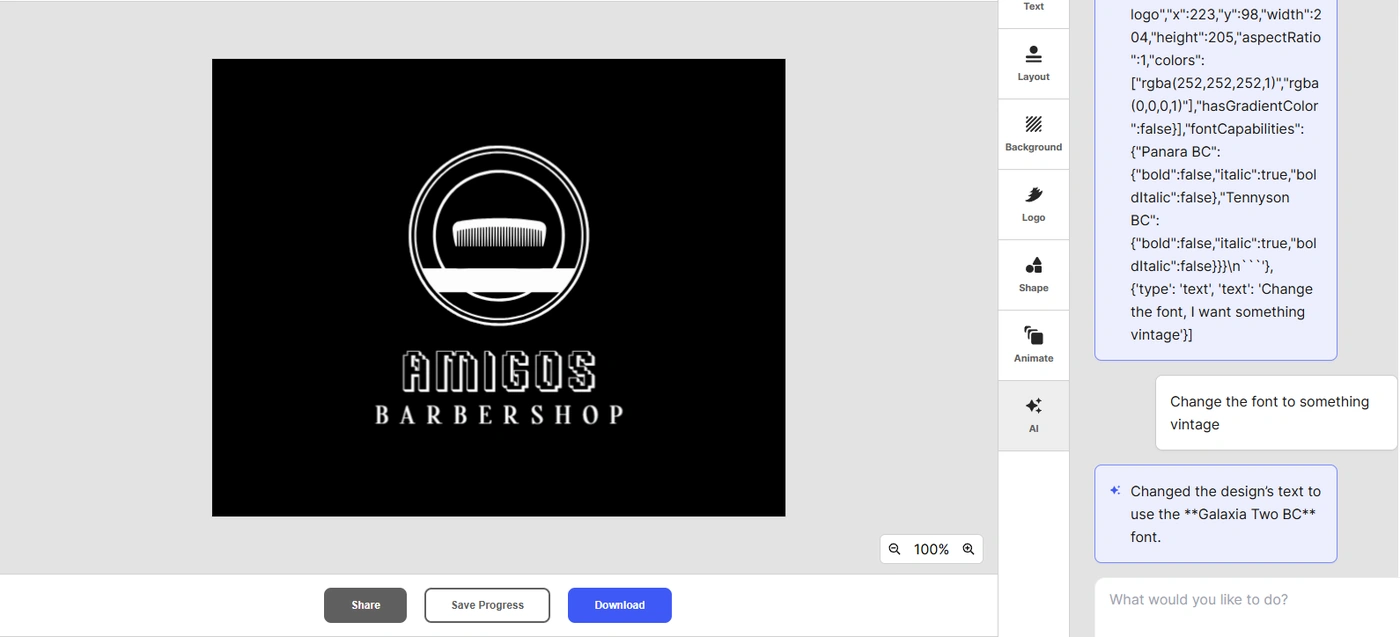
"Change the font" via AI chat
And that's just a fraction of what you can do with Design.com's AI bot. We also tested its ability to generate supporting assets — the same system produces websites, flyers, posters, and business cards, all helping build a complete brand identity, not just a single logo file.
Pros
- Very fast logo generation
- High-quality, professional-looking outputs
- Strong brand consistency across multiple design types
- Extensive template and asset library
- Full branding ecosystem beyond just logos
Cons
- Web-based only
Pricing: The free plan is genuinely usable, not just a limited preview — free logos come with no watermarks, full high-quality downloads, and even the AI chat editor. Paid tiers: Starter from $3/mo (billed annually) or $9/mo, Value from $4/mo or $14/mo, Premium from $5/mo or $19/mo. All paid plans include full logo ownership, unlimited edits, and high-resolution downloads; higher tiers unlock websites, link-in-bio pages, and digital business cards.
2. BrandCrowd — Best for Template-Based Fast Logo Creation
BrandCrowd is a template-driven AI logo generator designed for users who want quick, professional-looking results without starting from a blank canvas. When we tested it, the workflow felt very straightforward — we simply entered a business name and instantly got a wide range of logo concepts to choose from.
What stood out during testing was how fast the entire process is. Instead of building a logo step by step, we were able to browse, tweak, and download designs in just a few minutes. It's clearly built for speed and simplicity rather than deep creative control, which works well for early-stage branding or quick business setups.
Extensive Logo Template Library
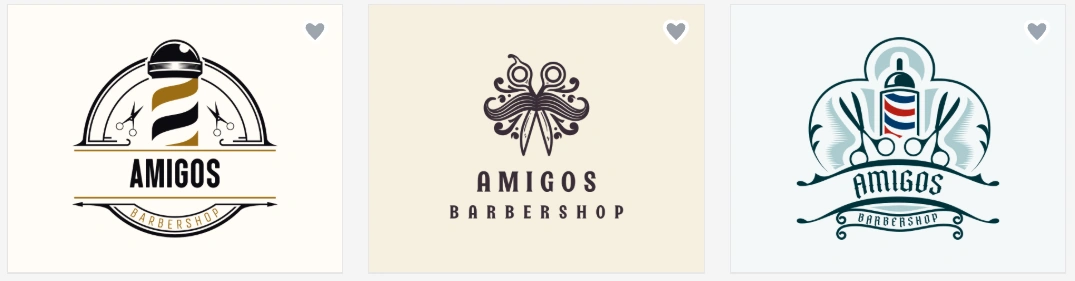
We explored over 380,000+ logo templates and found a strong variety across industries. The platform also includes more than 1 million design assets. Just type in your business name and a few keywords, and the AI creates a variety of logo designs automatically — here's what we found searching for a barbershop logo during testing.
Simple Customization Tools
We tested the editor and found it easy to adjust fonts, colors, layouts, and icons. While not as deep as advanced design platforms, it's more than enough for quick branding tweaks — you can adjust the background color, browse gradient palettes, and swap fonts in a few clicks.
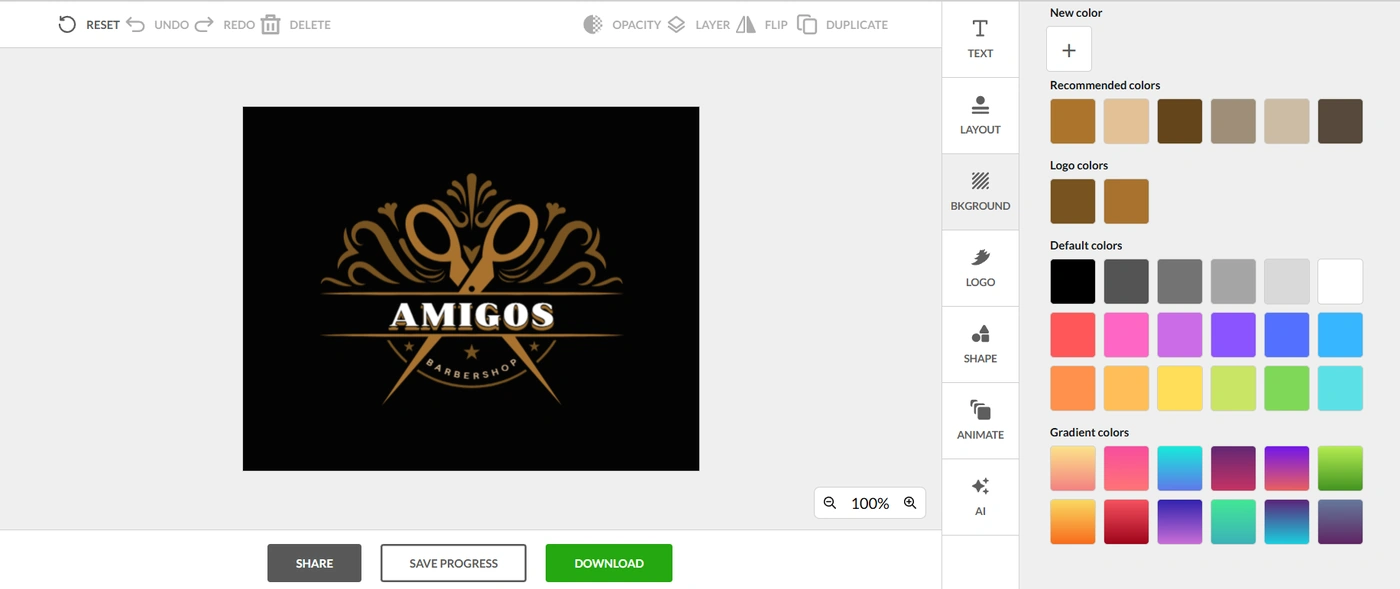
Color customization panel
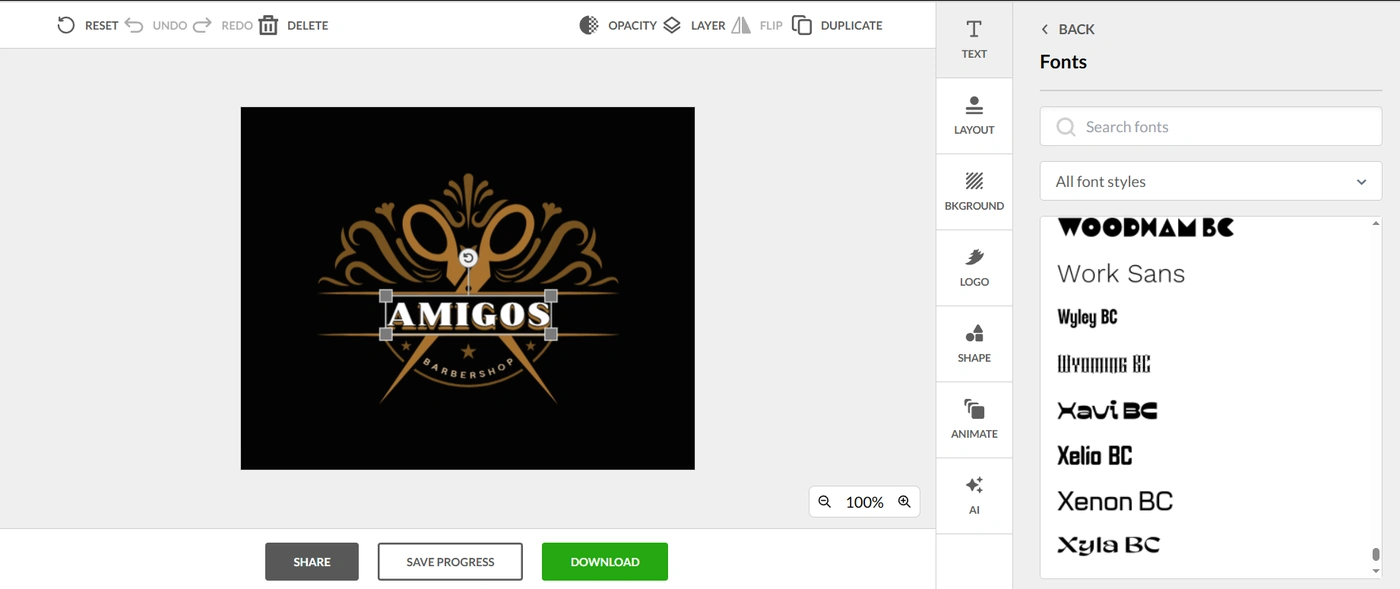
Font selection panel
Beyond logos, we were able to generate supporting assets like business cards, social media posts, email signatures, and letterheads, which helps maintain consistency across basic brand materials. Logos can be downloaded in PNG, JPG, SVG, EPS, and PDF, all with commercial usage rights included.
Pros
- Extremely fast logo creation process
- Huge selection of ready-made templates
- Beginner-friendly editor
- Strong export format support
- Easy access to supporting brand assets
Cons
- Less technical integration
- Lightweight collaboration features
Pricing: Free templates are functional design outputs, not previews — no watermark, full editor access. Paid tiers match Design.com: Starter from $3/mo, Value from $4/mo, Premium from $5/mo (all billed annually, or higher monthly). Higher tiers unlock website creation and expanded digital brand tools.
3. Canva — Best for Beginners and Team Collaboration
Canva takes a different approach from most AI logo makers on this list. Rather than focusing solely on logo generation, it combines logo creation with one of the most popular drag-and-drop design platforms. When we tested it, the biggest advantage wasn't necessarily the AI itself — it was how easy it was to turn a logo into a complete set of marketing materials afterward.
We also found Canva particularly useful for collaborative projects. Whether you're working with a business partner, client, or marketing team, multiple people can review, edit, and comment on designs in real time.
AI-Powered Logo Generation
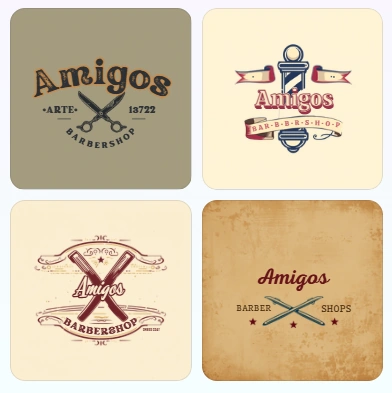
We tested Canva's AI logo tools and found them easy to use for generating quick logo concepts. The results are simple and clean, making them suitable for startups, creators, and small businesses. Here are example logos we got for a barbershop:
Drag-and-Drop Editor & Real-Time Collaboration
The editor remains one of Canva's biggest strengths — we were able to customize colors, fonts, layouts, and graphics quickly without any design experience. During testing, team collaboration stood out as a major advantage: multiple users can work on designs simultaneously, leave comments, and make revisions without switching platforms.
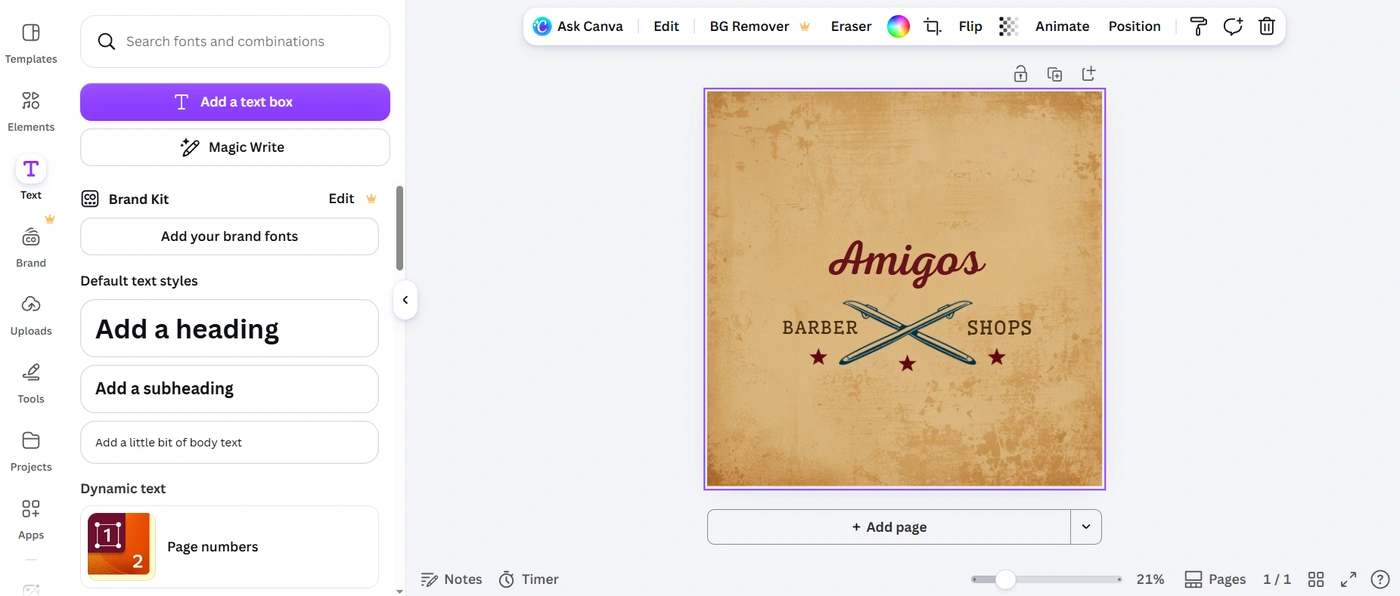
Paid plans add brand kit management for consistent logos, fonts, and colors
Pros
- Extremely beginner-friendly
- Excellent collaboration features
- Huge library of templates and design assets
- Strong ecosystem beyond logo design
- Generous free plan
Cons
- AI logo generation is less specialized than dedicated logo makers
- Some premium templates and assets require a paid subscription
- Vector downloads require Canva Pro
Pricing: Free plan includes logo creation, templates, and basic design tools. Canva Pro runs around $12.99/mo or $119.99/year. Canva Teams starts at approximately $14.99/mo for team collaboration and shared brand management.
4. Wix Logo Maker — Best for Businesses Building a Website
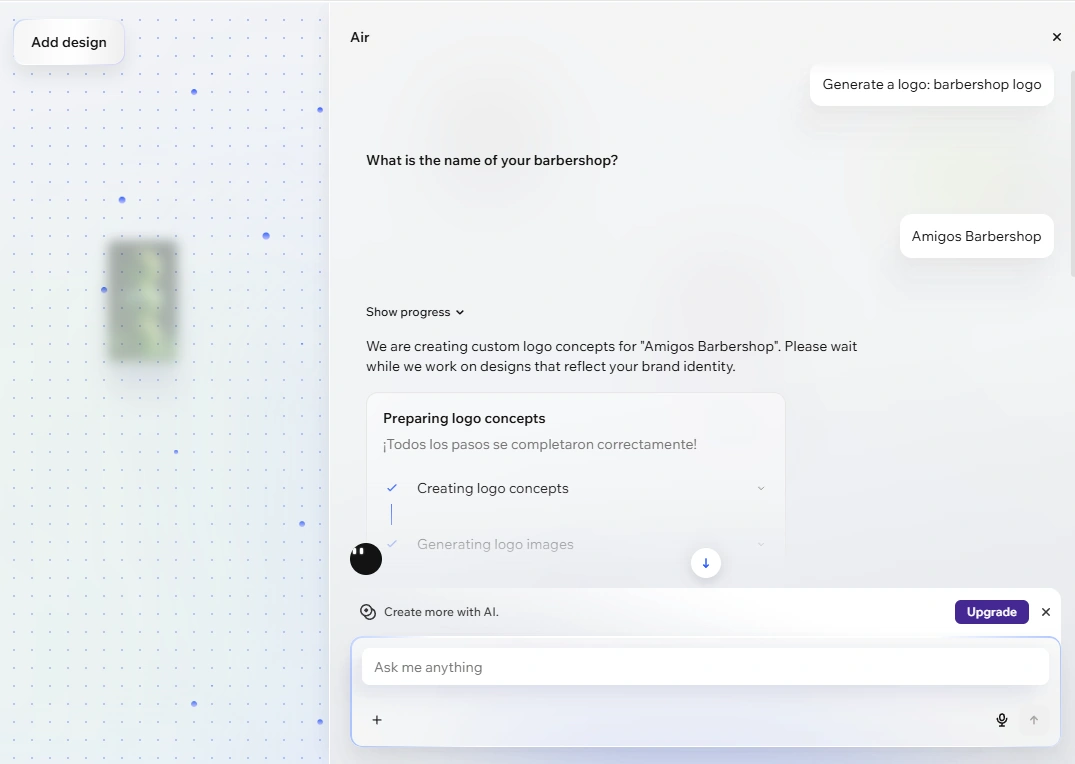
Wix Logo Maker is designed for users who want to create a logo and immediately put it to work on a website. During our testing, the platform stood out because it asks a series of questions about your business, industry, and design preferences before generating logo concepts — a more guided experience than tools that simply generate designs from a business name alone.
Guided AI Logo Creation
Wix uses a questionnaire-based system to understand your business and design preferences before generating logo options. We found this helpful for users who aren't sure what style they want.
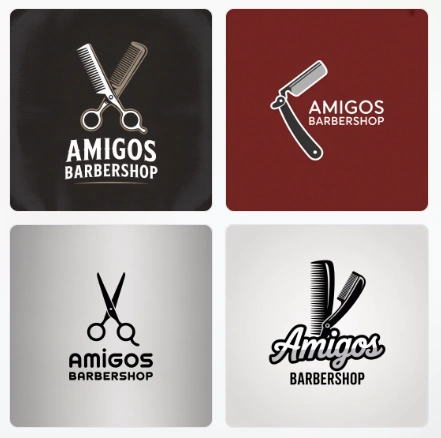
Here are some of the logos generated for Amigos Barbershop:
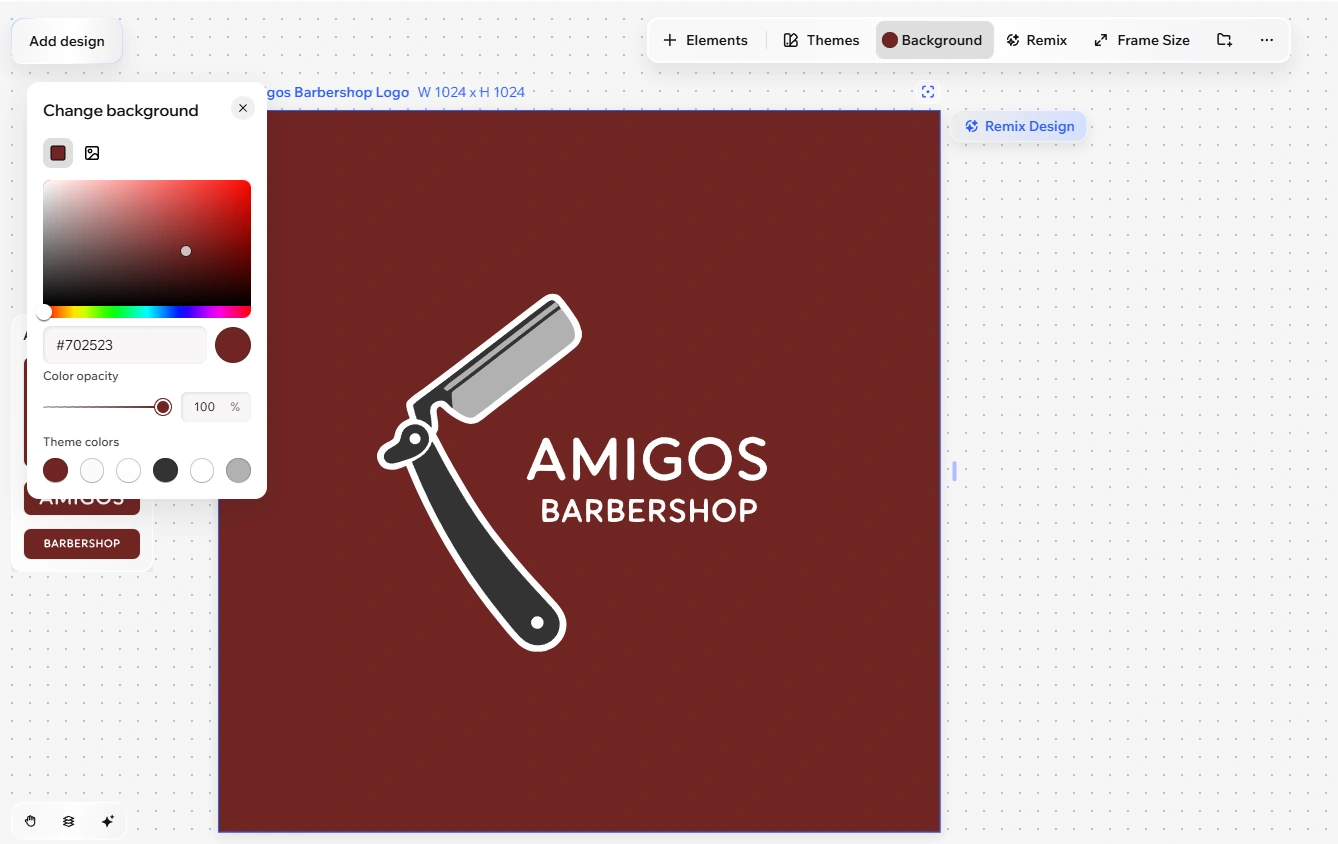
Easy Customization & Website Integration
After generating designs, we were able to adjust colors, fonts, icons, layouts, and spacing using Wix's simple editing tools. One of Wix's biggest strengths is its connection to the Wix website builder — logos can be seamlessly applied to websites and other branded assets, which can save real time for entrepreneurs launching a new business online.
Pros
- Easy step-by-step logo creation process
- Strong website integration
- Beginner-friendly editor
- Includes additional branding assets
- Suitable for complete business launches
Cons
- Fewer logo templates than some competitors
- Best value comes when paired with Wix services
- Advanced customization options are somewhat limited
Pricing: Free to create and preview logos. Basic Logo Package starts around $20 (one-time purchase). Advanced Logo Packages (higher tiers) add file formats, social media assets, and branding materials.
5. Fiverr — Best for Quick AI-Powered Logo Concepts
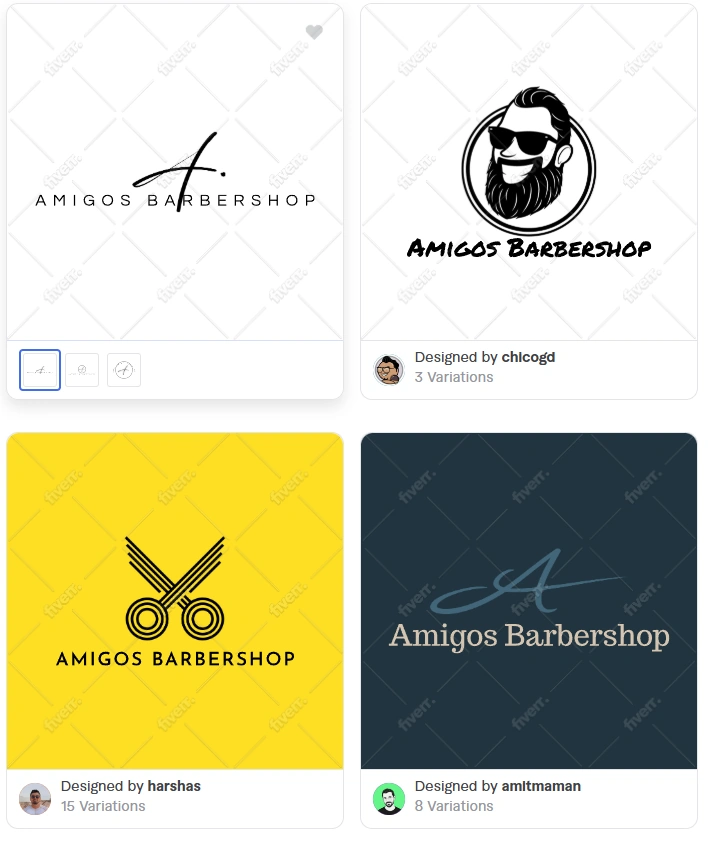
Unlike most AI logo makers, Fiverr takes a hybrid approach. Instead of relying entirely on generated templates, its Logo Maker uses logo designs created by vetted designers on the Fiverr marketplace and matches them to users using AI. During our testing, this resulted in logo suggestions that felt more distinctive and professionally crafted than many fully automated generators.
What makes Fiverr different is the upgrade path: if the AI-generated options aren't quite right, you can move directly into Fiverr's marketplace and hire a designer for custom work. We found this especially useful for businesses that want to start with an affordable AI-generated logo but may eventually need deeper branding support.
Designer-Created Logo Library
Fiverr's logo suggestions are based on work submitted by selected professional designers rather than purely machine-generated assets, which gives many designs a more polished, brand-focused feel.
AI-Powered Matching & Customization
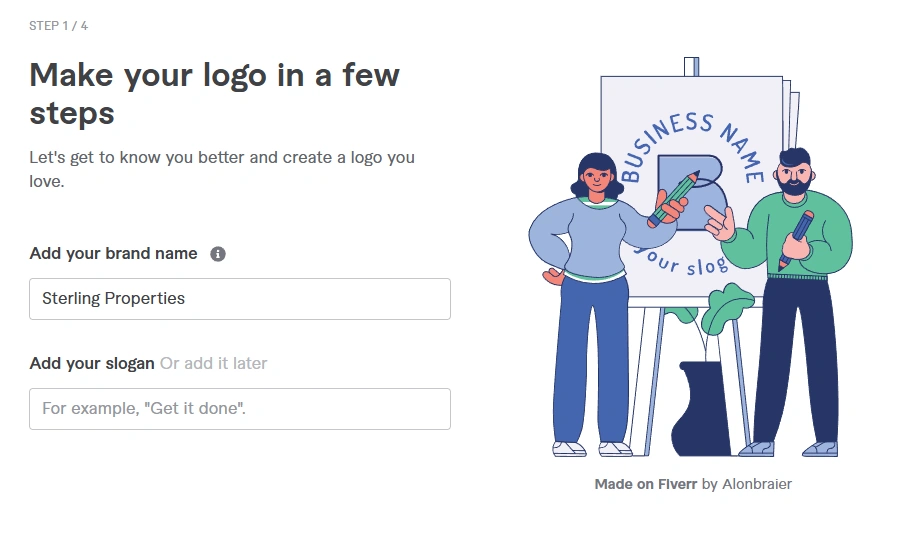
We tested Fiverr's onboarding process, which asks questions about industry, brand personality, and style preferences before generating recommendations — the results generally felt more tailored than simple keyword-based generators. After selecting a design, we could adjust colors, typography, layouts, and other elements using Fiverr's built-in editor before purchase.
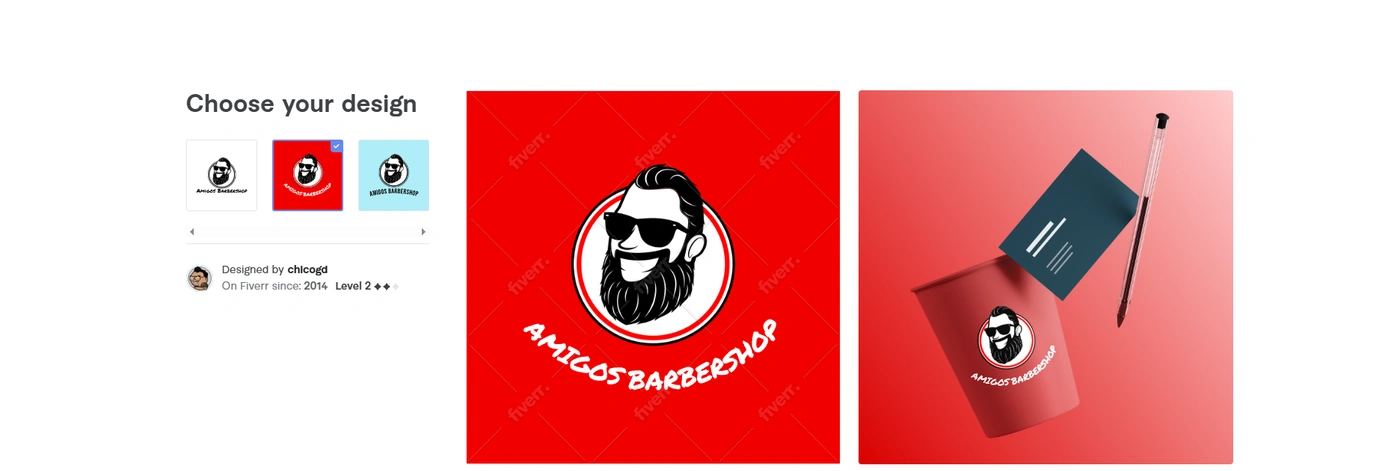
This is Fiverr's biggest differentiator: if you need something beyond the Logo Maker, you can immediately connect with professional logo designers on the platform for custom work. Purchased logos include commercial usage rights, making them suitable for websites, products, and marketing materials.
Pros
- Designs originate from professional designers
- Personalized logo recommendations
- Strong customization options
- Direct access to freelance design talent
- Commercial usage rights included
Cons
- Fewer logo customization options than dedicated logo makers
- Can become expensive if you hire a designer for revisions
- Logo quality depends on the designer templates available in your category
- Advanced branding assets may require higher-tier packages
Pricing: Free to generate and customize logo concepts before purchase. Basic Branding Package starts at approximately $30. Professional Branding Package runs around $60–$90. Unlimited Branding Package is the highest tier, with additional assets and editing flexibility depending on the logo package selected.

The hand-sketch phase is optional now — but the instinct behind it isn't
Conclusion
AI logo generators have completely changed how branding is created. Instead of long design processes and expensive back-and-forth revisions, you can now test ideas, explore styles, and build full brand identities in a matter of minutes. During our testing, it became clear that while many tools can produce decent logos, not all of them offer the same level of consistency, flexibility, and real-world usability once you start building a full brand around them.
Among all the platforms we tested, Design.com stood out as the most complete solution. It helped us build and refine entire brand identities through advanced AI editing, branding tools, and seamless customization. The ability to talk directly to the AI and make real-time changes made the workflow feel faster and more natural than anything else we tried.
If you're ready to create a logo and actually build something you can use across your business, get started with Design.com today and bring your brand to life.
Once your logo is locked in, the next step is putting it somewhere people can find it. Our best website builders for small businesses guide covers where to launch it, and our Entity SEO Guide for Bloggers covers how to make sure search engines actually recognize the brand once it's live. If you're still choosing a name for the domain itself, our AI domain name generator guide is worth a look too.
✅ Our Pick: Design.com for the most complete branding system. BrandCrowd if speed matters most. Canva if you're collaborating with a team. Wix if your logo and website are launching together. Fiverr if you want AI speed with a path to a human designer.