🎵 AI Music · Tutorial
AI Music Generator Tutorial: Make Your First Song Step by Step
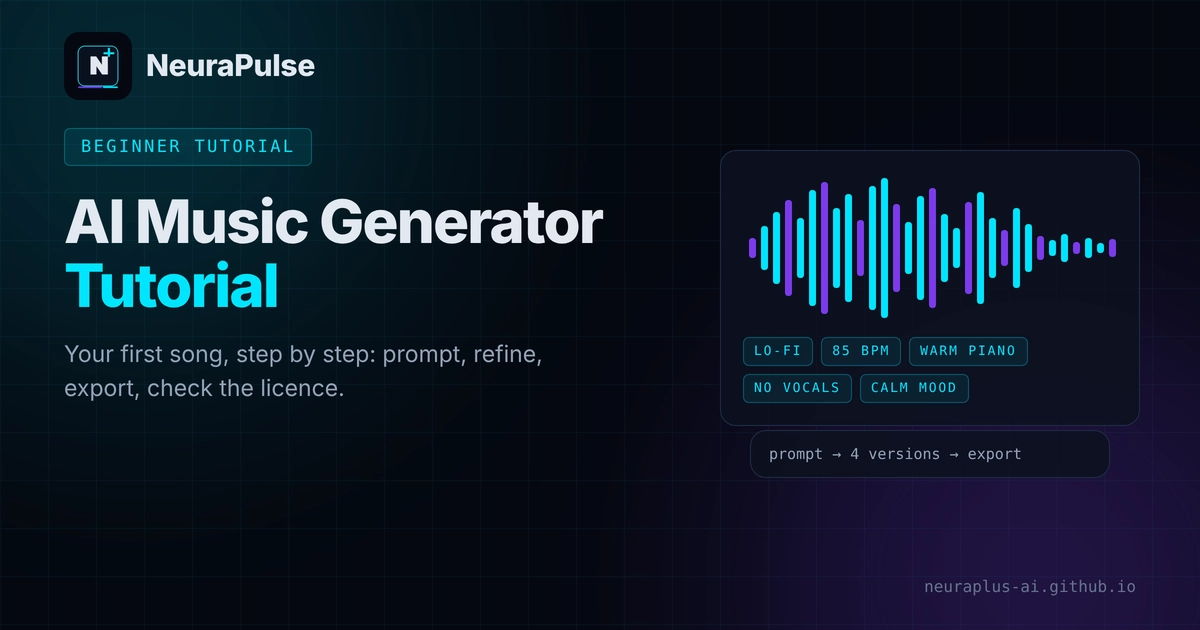
You can go from a blank page to a finished song in about ten minutes with an AI music generator. The tricky part is not pressing the button. It is writing a prompt that gets the sound you imagined and knowing what you are allowed to do with the result. This tutorial covers both in seven steps.
✅ Short answer: Decide what the track is for, pick a tool whose licence fits that use, write a prompt with five ingredients, generate several versions, refine the best one, export it through the tool's permitted download and keep proof of your plan.
Short answer: how AI music generation works for beginners
You type a description, and sometimes your own lyrics, and the tool creates a track with instruments and often vocals. Most tools produce two versions per request so you can compare. Newer tools such as ElevenLabs Music v2 let you regenerate one section, for example a bridge, without changing the chorus. If you want pricing before you start, read AI music generator pricing 2027. If you need music for a show, see free AI music for podcasts.
What you need before you start
- A purpose. Personal fun, a YouTube video, a podcast intro or a client project need different licences.
- A reference description. Two or three real songs or moods you like, written in words.
- Optional lyrics. Short, rhythmic lines work best. Write them yourself.
- A place for records. Save the tool, plan, date and download receipt for every track you use publicly.
Pick a tool that fits your use
Prices are from reviews dated September to October 2026. Licence details change, so confirm them in your account before you publish.
| Tool | Best for | Starting price | Licence note |
|---|---|---|---|
| Suno | Full songs with vocals, fast | Free (50 credits/day); Pro $10/mo; Premier $30/mo | Free output is non-commercial; paid plans grant commercial rights, with monthly download limits |
| ElevenLabs Music | Commercially cleared music, section edits | Starter $6/mo ($5 yearly), per one review | Licence scope depends on plan; check the current music terms |
| Udio | Refining tracks clip by clip | Standard $10/mo ($8 yearly) | Downloads were disabled in late 2026 reviews, so tracks stay in the app |
| Soundraw | Background music for video and podcasts | Creator $16.99/mo ($11.04 yearly) | Includes unlimited MP3 downloads and commercial background use, per a review |
| AIVA | Orchestral and cinematic scores | Standard €11/mo billed yearly | Limited monetisation on Standard; full copyright ownership on Pro |
| Design.com | Logos and brand kits for your channel | Check Design.com for current plans | Not a music tool |
| OpenMel | Not reviewed in this guide | Check OpenMel directly | We could not verify its licence terms |
Sources: dated reviews and licensing summaries, February to October 2026. Confirm every price and licence in your own account.
For a voice-focused alternative from the same company, see ElevenLabs on its own site at elevenlabs.io, and our own guides on ElevenLabs text to speech and ElevenLabs pricing.
The 7-step tutorial
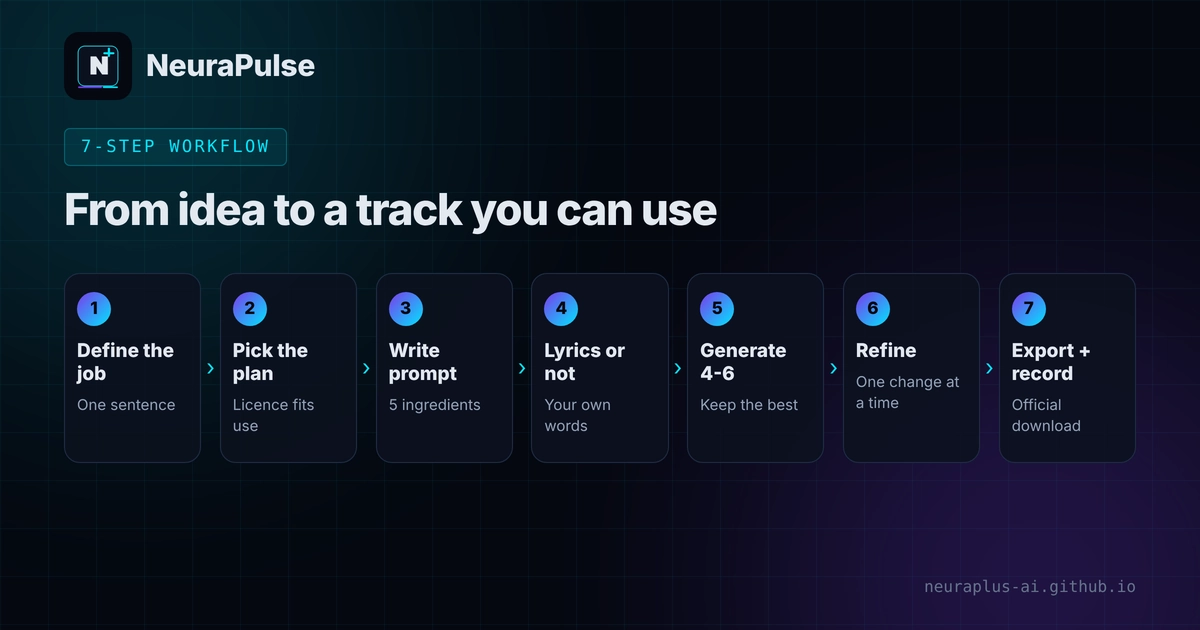
- Define the job. Write one sentence: "A 30 second upbeat intro for a business podcast" or "A calm instrumental to play under a tutorial".
- Choose the plan that licenses it. If the track will earn money or promote a business, use a paid plan with commercial rights, not a free plan.
- Write the prompt. Use the five ingredients below. Be specific about mood and instruments.
- Add your lyrics, or choose instrumental. For vocals, keep lines short and avoid unusual names, which can be mispronounced.
- Generate four to six versions. Listen on headphones and on a phone speaker. Keep the best one, not the first one.
- Refine. Regenerate a weak section if the tool supports it, change one prompt detail at a time and avoid rewriting everything.
- Export and record. Use the tool's official download, name the file clearly and save the plan, date and receipt.
A prompt pack with five ingredients
Good prompts name the genre, mood, tempo, instruments and vocal choice. Copy and adjust these.
INSTRUMENTAL BED FOR A PODCAST
Warm lo-fi, relaxed, 85 BPM, soft piano and brushed drums,
gentle vinyl texture, no vocals, steady and unobtrusive.

UPBEAT INTRO (30 SECONDS)
Bright indie pop, confident, 120 BPM, acoustic guitar, claps and
bass, energetic build, clean ending, no vocals.

SONG WITH VOCALS
Genre: pop-rock. Mood: hopeful. Tempo: 110 BPM.
Instruments: electric guitar, bass, live drums.
Vocals: warm female lead. Structure: verse, chorus, verse, chorus, bridge.
[Paste your own lyrics here]
Change one ingredient at a time so you learn what each word does. For more on writing clear instructions for AI tools, see best prompts for image generation, since the same habits apply.
Fix the most common problems
- The genre is wrong. Put the genre first and name two instruments. Remove conflicting style words.
- The track is too busy under speech. Ask for "sparse, minimal, no lead melody" and choose instrumental.
- Vocals mispronounce words. Respell the word phonetically in your lyrics and regenerate.
- The ending is abrupt. Ask for "clean ending with a short fade" or trim in an audio editor.
- The mix sounds thin. Add "full, warm, balanced mix" and check on different speakers.
- Every version sounds alike. Change tempo or instruments, not just adjectives.
Licence basics every beginner should know
- Free plans on the major tools are generally non-commercial. Songs made on a free plan may not become commercial later when you upgrade, so regenerate on a paid plan if you need commercial rights.
- Use the tool's official download. Screen recordings and unofficial downloaders may not carry rights.
- Purely AI-generated music may not be copyrightable in the US, which matters if you want to stop others using it.
- Generated melodies can resemble existing songs, which can trigger YouTube Content ID claims. Keep your records ready for a dispute.
- Streaming services increasingly ask you to disclose AI-generated music.
For the full picture, read how to generate royalty-free AI music. If you plan to earn from your content, see how to monetize AI content and AI tools for content creators.
💡 Beginner shortcut: Make three instrumental tracks for one purpose, such as a podcast intro, and compare them. You will learn more from three side-by-side versions than from ten random songs.
How this guide was researched
Methodology and limits
- Plan prices and limits come from dated reviews published between June and October 2026. Licence summaries come from a February 2026 licensing article and vendor information it cites.
- We did not generate songs in every tool for this article. The prompts are starting templates, not guaranteed results.
- Credit maths is approximate: Suno's 50 daily credits equal about five generations at roughly 10 credits each, which is our own calculation.
- This is not legal advice. Read the terms of the plan you use.
- Author: Prashant Lalwani. Last verified November 18, 2026.