🎧 AI Super App · Support
AI Super App for Customer Support Automation: What It Can and Cannot Do
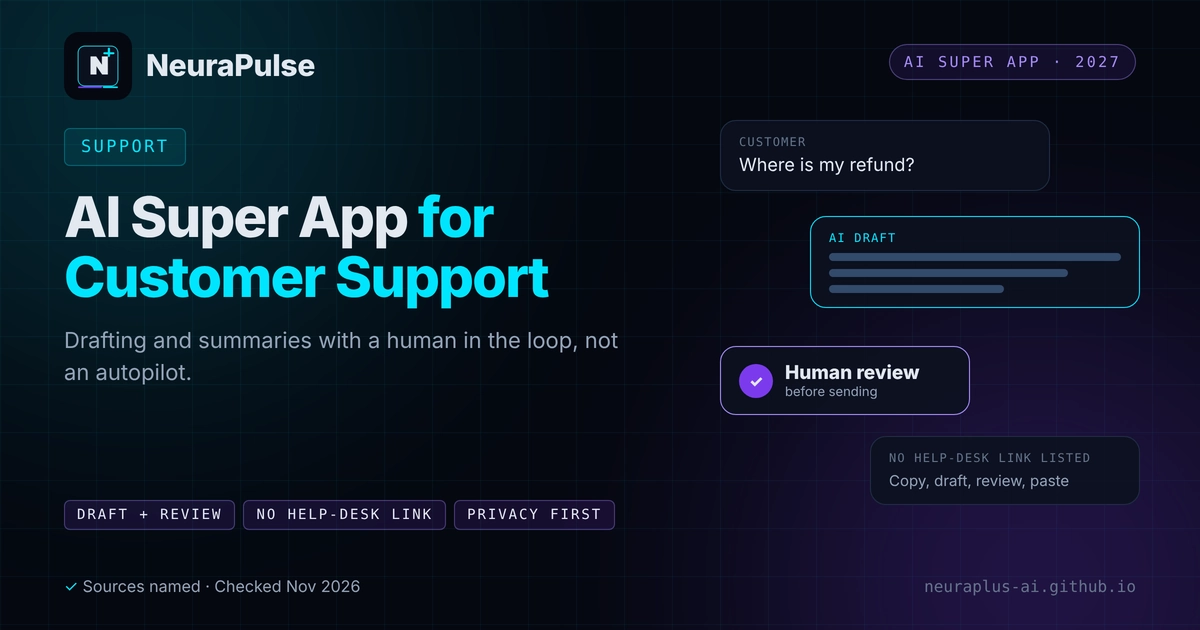
Customer support is one of the first places small teams try AI. An AI super app can help you write faster and keep answers consistent. What it cannot do, from what we could verify, is plug into your ticketing system and answer customers on its own. This guide separates what fits from what does not and gives a safe, human-in-the-loop setup.
✅ Short answer: Use an AI super app to draft replies, summarise threads, translate and turn documents into FAQ answers, then have a person review before sending. For ticket routing, live chat and integrations, use a dedicated help desk.
Short answer: a drafting assistant, not an autopilot
An October 2026 review of Overchat says no business software integrations are listed. That means there is no verified way to connect it to a help desk, so the realistic use is copy, draft, review and paste. If you want the category background first, read our AI super app overview.
Support tasks that fit well
- Drafting replies from your notes, in your tone.
- Summarising long threads so the next agent can pick up quickly.
- Translating customer messages and replies. Overchat lists a translator among its tools.
- Answering from documents. Overchat lists PDF, file and link attachments, so you can ask questions about your own policy document.
- Rewriting for clarity or a calmer tone on difficult messages.
Where it falls short
- No ticket system. No routing, tagging, service-level timers or audit trail.
- No live-customer deployment. We found no evidence of a customer-facing chat widget.
- Hallucination risk. The model can state policies, prices or dates that are wrong. Always check against your sources.
- Credit limits. A review notes heavy users may hit the monthly credit cap, which matters on busy days.
- Privacy. Messages go to the company running the model. See below.
Options compared for support work
| Option | Price (as listed) | Support use | Limit |
|---|---|---|---|
| ChatGPT Plus | $20/mo | Drafting, summaries, document questions | General assistant, no help-desk link |
| Claude Pro | $20/mo | Drafting and long document reading | General assistant, no help-desk link |
| Gemini AI Pro | $19.99/mo | Drafting and NotebookLM for document notes | General assistant, no help-desk link |
| Mistral Le Chat Pro | $14.99/mo | Drafting with web search on free | General assistant, no help-desk link |
| Overchat.ai | Free; Mini $15; Pro $29; Max $59; Ultra $119 monthly (vendor page); a review lists Pro at $14.99 | Drafting, summaries, translator, PDF and link questions, many models in one chat | No business integrations listed; credit-based; check privacy terms before use with customer data |
Sources: an eWeek AI pricing cheat sheet dated June 29, 2026, Overchat's pricing page and an October 26, 2026 review. Confirm on each vendor page.
A safe six-step support workflow
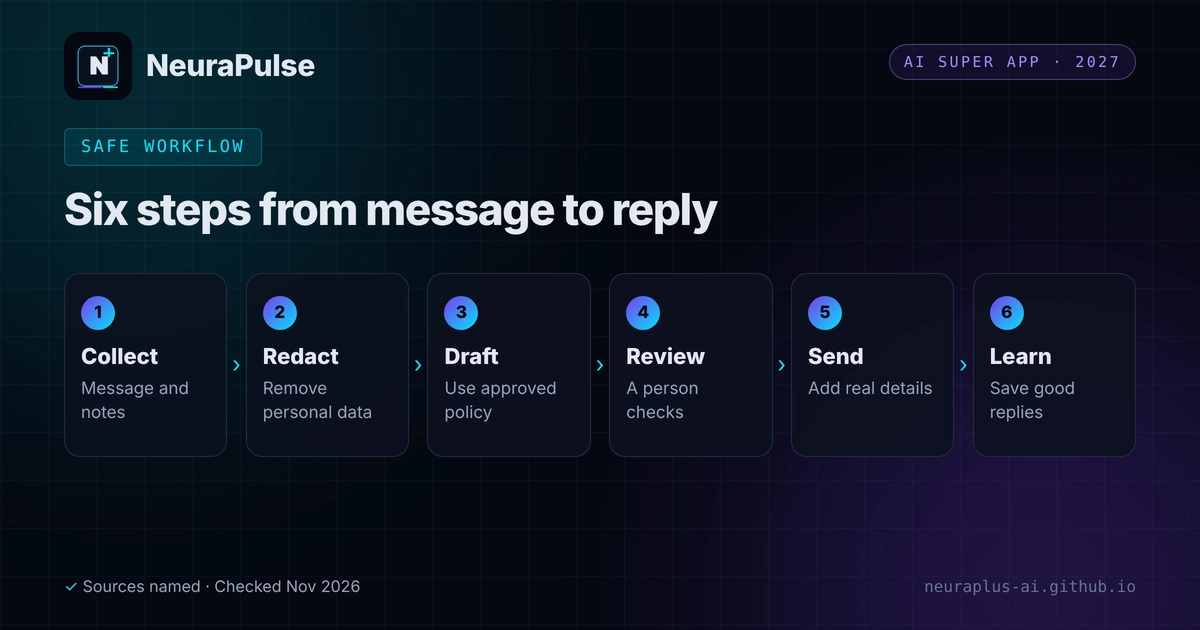
- Collect. Copy the customer message and your internal notes.
- Redact. Remove names, emails, order numbers, addresses and payment details.
- Draft. Paste your approved policy text and ask for a reply in your tone.
- Review. A person checks facts, promises, refunds and tone against your policy.
- Send. Paste into your own email or help desk and add the real customer details back.
- Learn. Save good replies as templates and note questions that keep recurring.
A prompt pack for support teams
REPLY DRAFT
You are a friendly support agent for [company]. Using only the
policy below, write a short, polite reply to this message.
If the policy does not cover it, say a team member will follow up.
Policy: [paste approved text]
Message: [paste redacted message]

THREAD SUMMARY
Summarise this thread in five bullet points: issue, what was tried,
what the customer wants, open questions, next step.

FAQ BUILDER
From this document, write ten customer-facing FAQ answers in plain
language. Do not add facts that are not in the document.
Privacy for support data
- Overchat's help page says the company that runs the selected model receives your messages, and for GPT models that is OpenAI.
- Its privacy policy gives no retention period and does not mention model training. Ask the company if that matters for your data.
- Do not paste payment data, passwords or health details.
- Read our AI super app security and privacy checklist before you start.
For more automation ideas, see AI super app workflow examples. If you want a connected chatbot instead, see how to build a chatbot with Claude API, AI automation tools for small business growth and n8n webhook automation examples.
💡 Start narrow: Pick your five most common questions, write approved answers and use the AI only to adapt them. Expand once you trust the process.
How this guide was researched
Methodology and limits
- Overchat tool lists and privacy statements come from its own site and help pages, which are vendor claims. The "no business integrations listed" point comes from an October 26, 2026 review.
- Competitor prices come from an eWeek roundup dated June 29, 2026.
- The workflow and prompts are our own editorial suggestions, not tested results. We did not test any tool with real customer messages.
- Author: Prashant Lalwani. Last verified November 23, 2026.