🔒 AI Super App · Security
AI Super App Security and Privacy Checklist: 10 Checks Before You Paste Anything
The most useful question before you use any AI app is not "is it good?" but "what happens to what I type?" This checklist gives you ten checks, shows what Overchat's own pages say about each one and points out what they leave unsaid. It is a reading guide, not an audit, and no tool should be called safe on the basis of a web page.
✅ Short answer: Check encryption, data location, retention, model training, deletion, third-party model providers, memory features, access, your legal rights and business contracts. Where a vendor is silent, ask, and keep sensitive data out until you get an answer.
Short answer: read the claims, then test the gaps
Vendors describe their security in marketing pages, help articles and legal policies, and those sometimes say different things. We use Overchat as the worked example because it publishes all three. For the category background, see our AI super app overview.
The ten checks
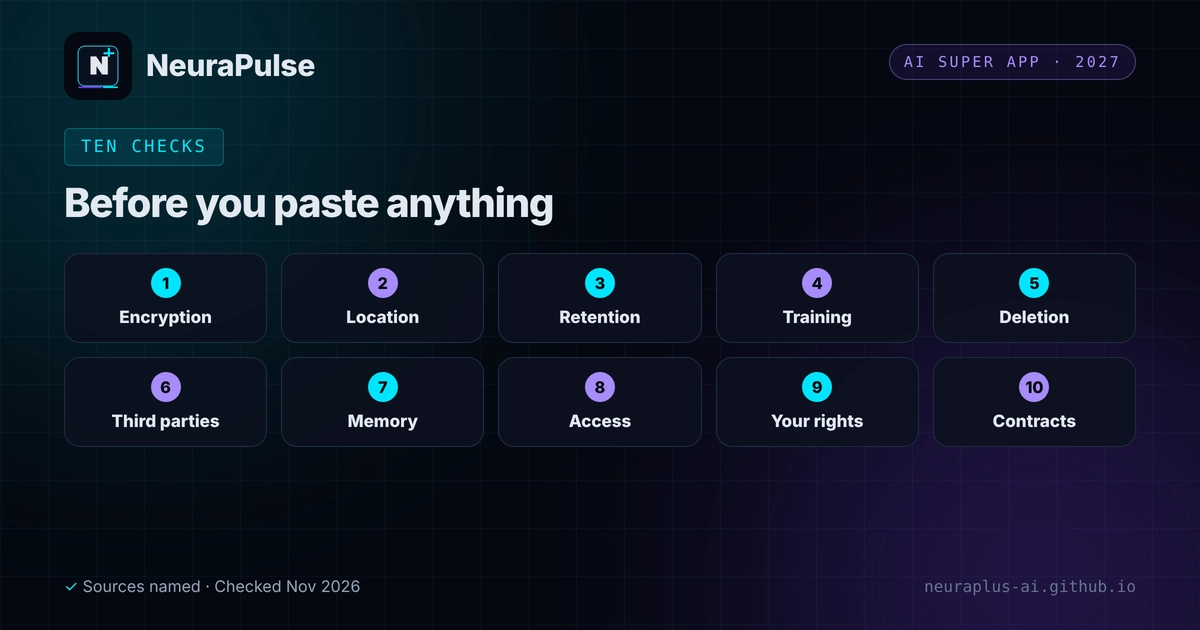
- Encryption. Is data encrypted in transit and at rest, and with what?
- Data location. Where is it stored, and how do transfers work?
- Retention. How long is it kept, and is the period stated?
- Model training. Are chats used to train models, and can you opt out?
- Deletion. Can you delete chats and the account yourself?
- Third parties. Who else receives your messages, including model providers?
- Memory. Does the app remember facts across chats, and can you turn it off?
- Access. Who at the company can read chats, and under what rules?
- Your rights. Can you request access, correction or erasure, and how?
- Business terms. Is there a data agreement for work use?
What Overchat's pages say
- Marketing page: "AES-256 encryption and SSL" protect data, the company complies with GDPR and CCPA, storage is in the EEA, chats are private and users own what they create.
- Help page on chat data: chats are stored in your account and encrypted with AES-256, data is kept only as long as the service or law requires and there is no fixed period. It describes deleting a chat from the sidebar, Temporary Chats deleted when you leave and account deletion that removes history, projects and settings.
- Privacy policy: it lists data collected, including email, phone or messenger alias, device and log data such as IP address and cookies. It gives no retention period, does not mention training and says to email the company to delete an account. It has no date, only a "2024 to 2026" copyright line.
The checklist answered for Overchat
| Check | Why it matters | What the pages say | Gap to ask about |
|---|---|---|---|
| Encryption | Protects data in transit and storage | AES-256 and SSL claimed | Key management not described |
| Data location | Sets legal regime and transfer rules | EEA, with safeguards for transfers | Which model providers process data and where |
| Retention and training | Decides how long your text lives and how it is used | Kept as long as needed; training not mentioned | No fixed period and no training statement |
| Deletion and third parties | Lets you remove data; shows who else sees it | In-app chat and account deletion described, and the policy says to email; model operator receives messages | Policy and help page differ on account deletion |
| Overchat.ai | Summary for a cautious user | Published claims on encryption, GDPR, CCPA and EEA storage; public pricing from $15 a month | Verify retention, training and provider terms before sending sensitive or customer data |
Sources: Overchat's marketing page, its help article on chat data and its privacy policy, read in November 2026, plus an October 26, 2026 review. Vendor statements are not audits.
Gaps worth asking the company about
- How long chats and generated media are kept after deletion.
- Whether chats or uploads are ever used for training, by Overchat or by model providers.
- Which providers receive data for each model, and under what terms.
- Whether there are business or team agreements and data processing terms.
- Which account-deletion route applies, since the policy says to email and the help page describes an in-app route.
- The date of the privacy policy, since the page shows none.
Safe habits for any AI app
- Redact first. Remove names, emails, numbers and addresses.
- Use temporary chats for one-off sensitive questions, where offered.
- Turn off memory if you do not want facts carried across chats. Overchat's help page says you can review and clear memory in account settings.
- Keep secrets out. No passwords, card numbers or ID numbers.
- Review exports and delete what you no longer need.
- Consider local models for confidential work. See Ollama vs OpenAI API for local AI.
Extra rules for business use
- Check your own privacy notice and customer contracts before sending customer data to any AI service.
- Get written answers on retention, training and sub-processors.
- Limit who may use the tool and for what.
- Keep a short record of the tool, plan and date you reviewed it.
For costs, see AI super app pricing and free plan. For a business-focused view, read best AI super app for small businesses. For support teams, see AI super app for customer support.
💡 Simple rule: If you would not email it to a stranger at a company you have not vetted, do not paste it into an AI app until you have read the terms and asked your questions.
How this guide was researched
Methodology and limits
- Overchat statements come from its marketing page, a help article on chat data and its privacy policy, all read in November 2026, plus an October 26, 2026 review. They are vendor statements, not audits.
- The checklist is our own editorial framework. It is not legal advice and no tool is certified as safe by it.
- We did not test encryption, data flows or deletion.
- Author: Prashant Lalwani. Last verified November 23, 2026.