🎨 AI Image Generators · Design
Best AI Image Generator for Designers: 8 Tools Compared by Task
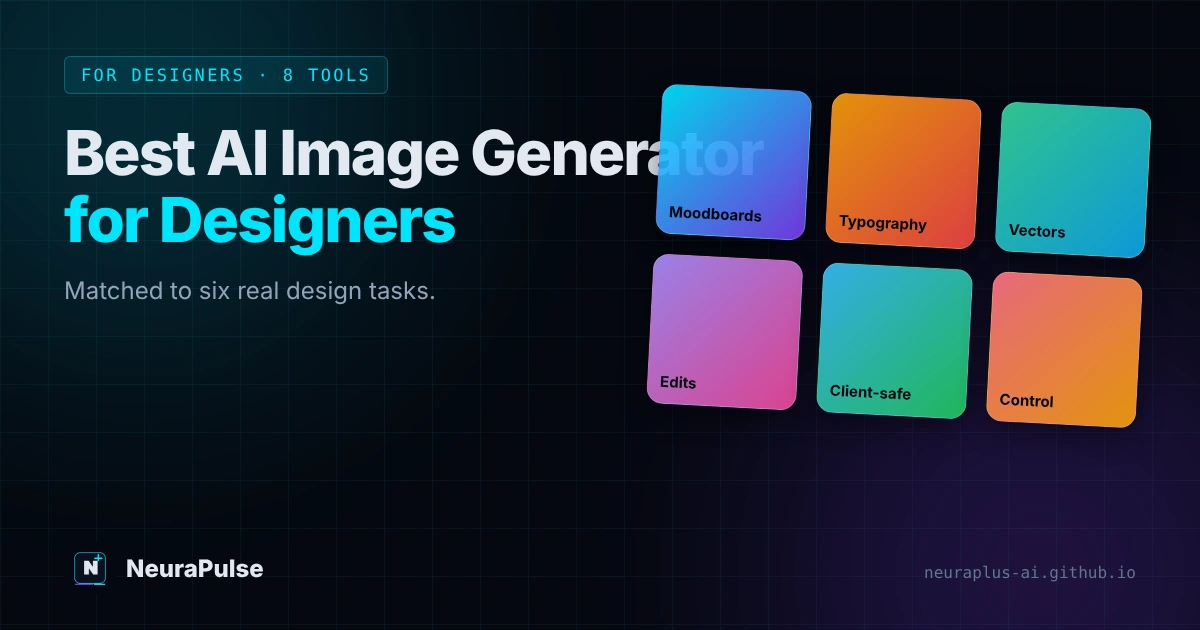
Designers do not need the tool with the prettiest demo. They need the one that survives a real brief: right typography, a licence the client accepts, edits that do not wreck the composition and a file format that opens in Illustrator or Figma. This guide matches eight AI image generators to six common design tasks so you can build a small, sensible toolkit.
✅ Quick picks: Moodboards and concepts: Midjourney. Posters and text-heavy layouts: Ideogram. Safe-for-client work inside Adobe: Firefly. Vector assets: Recraft. Conversational edits: ChatGPT Images or Gemini. Maximum control: Flux or Stable Diffusion.
Quick picks by design task
Known for stylised, art-directed output. Plans start at $10 a month; Standard adds unlimited Relax generations.
Built around readable in-image text. Plus is $20 a month; private images start there.
Adobe-trained models positioned for commercial use, and it fits Creative Cloud habits. Standard is $9.99 a month.
Focused on design assets and vector-style output. Paid plans start around $12 a month and include commercial rights.
Describe the change, get a revised image. Good for quick comps and edits.
API and open-weights routes for custom workflows. Check the model licence before commercial use.
Comparison table: eight tools at a glance
| Tool | Best for | Starting price | Licensing note | Watch out for |
|---|---|---|---|---|
| Midjourney | Concepts, moodboards, art direction | $10/mo ($96/yr) | Commercial use allowed; over $1M revenue needs Pro or Mega | No official API; web and Discord-style workflow |
| Adobe Firefly | Client work, Adobe app integration | $9.99/mo, 2,000 credits | Adobe-model output positioned as commercially safe; partner models are your responsibility | Credits drain faster on video and premium models |
| Ideogram | Typography, posters, social graphics | Plus $20/mo ($15 yearly) | Free images are public; private from Plus | Team and Pro tiers cost more |
| Recraft | Vectors, icons, brand illustration | Basic $12/mo ($10 yearly) | Free images public and non-commercial; paid grants commercial rights | Verify exports against your file needs |
| Leonardo.Ai | Game and character art, consistent assets | Essential $12/mo ($10 yearly) | Private generations from Essential; free creations public | Token budgets vary by plan |
| ChatGPT Images | Editing and iteration by chat | Go $8/mo, Plus $20/mo | Check OpenAI terms for your use case | Image limits are unpublished |
| Gemini (Nano Banana) | Fast edits, multi-image prompts | Google AI Plus $4.99/mo | API images carry SynthID | Free-tier data may be used by Google |
| Flux / Stable Diffusion | Custom pipelines, fine control | API from about $0.03 per image | Open-weights dev models can be non-commercial | You build the interface |
| Design.com | Logos and brand kits for small businesses | Check Design.com for current plans | Check the licence for your plan | Built for brand assets, not general image generation |
Prices checked October to November 2026 against vendor pages and dated reviews. Verify before purchase.
Tool notes: how each one fits a designer's day
Midjourney for concepts and moodboards
When a client says "make it feel like a night market in the rain", Midjourney is the fastest way to turn a mood into six directions. Treat the results as reference, not final art. Our Midjourney vs DALL-E 3 comparison shows where each one wins on style and prompt-following.
Ideogram for anything with words in it
Posters, social cards, packaging mockups and event graphics all need legible text. Ideogram is built with that in mind, so you spend less time repairing letters. You will still proofread every character, because AI lettering can fail on long lines.
Firefly for production inside the Adobe stack
If your team already lives in Photoshop and Illustrator, Firefly keeps generation, selection and editing in one place. Adobe also stresses licensed training content for its own models. That matters when a legal team asks where the pixels came from.
Recraft for vector-style assets
Icon sets, spot illustrations and brand shapes are easier to refine when the output is built for design use. Confirm the export format you get on your plan, then clean the result in your vector editor. For logo-specific tools, see best AI tools for logo design, top AI logo generators and our walkthrough on how to generate AI logos.
ChatGPT Images and Gemini for fast edits
Conversation-based editing is useful for comps: change the background, swap the colour, extend the canvas. Quality depends on the model version, and the vendors update them often. If you are weighing their API costs, read AI image generator pricing 2027.
Flux and Stable Diffusion when you need control
Studios that need repeatable results, custom styles or a private setup use API or open-weights models. You gain control and lose convenience. Check the licence before commercial use, because some open-weights models are non-commercial.
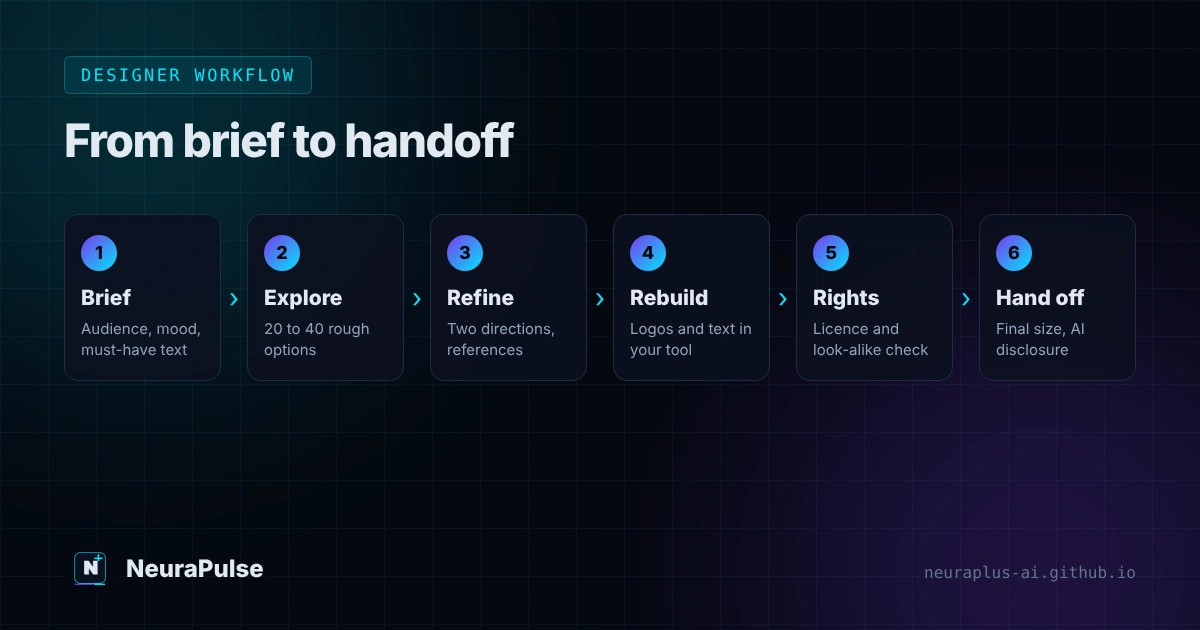
A designer workflow that actually ships
- Write the brief first. Audience, channel, mood, colours, must-have text and what the image must not show.
- Explore wide. Generate 20 to 40 rough options in one tool. Save only the directions you would defend to a client.
- Pick two directions and refine. Use reference images, aspect ratios and negative constraints. For prompt craft, see best prompts for image generation and how to make realistic AI images.
- Rebuild what must be exact. Logos, product shots with real labels and body copy should be set in your design tool, not trusted to the generator.
- Check rights and risk. Review licence terms, look for accidental look-alikes, and keep a record of the tool, plan and date.
- Hand off cleanly. Export at the final size, name layers and tell the client which parts used AI.
For interface work, pair these tools with our guide to the best AI tool for website design.
Licensing and client trust checklist
- Read the commercial terms of the exact plan you use, not the marketing page.
- Do not use free-tier images for client work if the tool makes them public or non-commercial.
- Avoid prompts that name living artists, brands or characters. It invites look-alike and trademark problems.
- Keep project files: prompt, model, date and plan.
- Tell clients where AI was used if the contract, platform or industry requires disclosure. See our notes on watermarks and content credentials.
Common mistakes designers make with AI images
- Treating the first output as final. The best results usually come from three or four rounds of refinement.
- Trusting generated text. Proofread every letter and rebuild important text in your layout software.
- Ignoring resolution. Check pixel dimensions for print before you commit to a direction.
- Skipping the licence. Plans differ on privacy and commercial rights.
- Using one tool for everything. A small toolkit of two or three tools beats a single compromise.
💡 Starter toolkit: One $10 to $30 plan for exploration (Midjourney or Leonardo), one tool for text-heavy work (Ideogram) and the generative features of the design software you already pay for. Add an API only if you are automating production. Our batch generation guide covers that case.
How this guide was researched
Methodology and limits
- Plan prices and licensing notes come from vendor pages and dated third-party reviews published between August and November 2026.
- Strength descriptions (for example Midjourney for concepts, Ideogram for typography) reflect how the tools position themselves and how reviewers describe them. We did not run a controlled benchmark for this article.
- Where a claim is vendor-stated, such as Adobe's licensed-content training, we label it as such.
- Author: Prashant Lalwani. Last verified November 13, 2026.